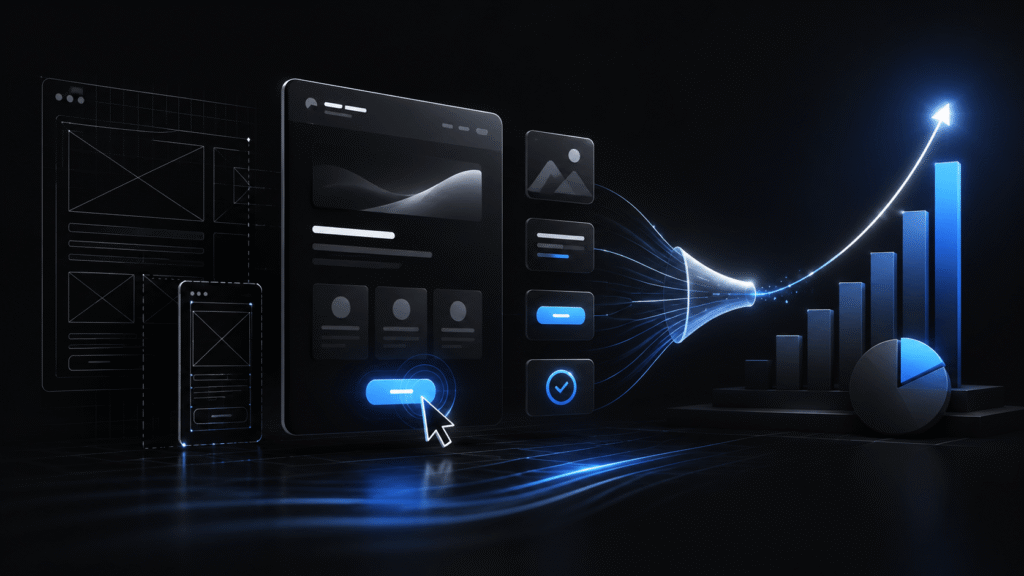
UI/UX design is one of the most misunderstood concepts in digital. Many people experience it as “how a product looks” — colours, fonts, icons. That’s part of it. But real design is much more: it’s the strategy that determines whether the user does what you want them to do — buy, sign up, click, come back.
And that isn’t abstract theory. The difference between well- and poorly-designed pages is measured in revenue. Pages with the same content, the same traffic, and the same prices can convert at 1 % or 6 % — depending only on the design. That’s six times more revenue from the same traffic.
This post breaks down how UI/UX design directly affects sales, which principles to apply, and — most importantly — how to tell design that looks pretty from design that works.
The difference between UI and UX (and why both matter)
UX (User Experience) design is how the product works. Flows, structure, the order of steps, decision points. The UX designer asks: “how will the user know what to click next?”
UI (User Interface) design is how the product looks. Colours, typography, layout, icons. The UI designer asks: “how do I make this button feel obvious and inviting?”
UX without UI is a bare wireframe — functional, but unpleasant to use. UI without UX is a beautiful page that doesn’t lead anywhere. Conversions only happen when both work together — UX guides the user through the flow, UI keeps them engaged and reduces friction at every step.
How design directly affects sales
Five concrete connections between design and business outcomes:
1. Speed of decision-making
A user landing on your page makes a decision in 5 to 10 seconds: stay or leave? UX design determines how easy it is for them to understand what you offer, why they’d want it, and what to click.
A well-designed page gives all three pieces of information within the first second. A poorly designed page buries them under a hero image, a generic headline (“Innovative solutions for modern businesses”), and five identical CTA buttons.
Concrete example: A/B tests routinely show that switching a hero from “Our project management platform” to “Cut planning time by 40 %” lifts CTA click-through by 25 to 60 %.
2. Reducing friction
Friction is every extra click, every extra form field, every moment of uncertainty the user feels. Friction kills conversions — and it’s measurable.
A classic: a registration form with 11 fields converts 120 % less than the same form with 4. That’s not 20 % — it’s more than double. Each extra field loses 5 to 10 % of users.
A UX designer who understands friction can systematically walk through your flow and identify where traffic is being lost. A typical audit result: 5 to 15 leak points, 70 % of which can be fixed with small changes.
3. Visual hierarchy directs attention
Users don’t read pages — they scan them. The eye goes first to the largest elements, then to high-contrast ones, then to ones with whitespace around them.
A well-designed page uses that structure: largest headline, high-contrast CTA button, primary elements with enough white space. A poorly designed page treats everything as equally important — and the user doesn’t know where to look.
A 30-second test that proves this: close your eyes, open them, look at the page for one second. What did you see first? If it’s the CTA button — the design works. If it’s a stock photo or a random icon — the design is steering you wrong.
4. Trust through visual quality
A poorly designed page looks untrustworthy — and that’s not a subjective feeling, it’s documented psychology. The Stanford Web Credibility Project showed that 75 % of users judge a business’s credibility based purely on the design of the site.
What that means in practice: a B2B buyer considering a serious investment ($5,000+) who lands on a page that looks like it was built in 2014 leaves before reading what you offer. Not because the content is bad — because the visual quality doesn’t match the price level.
5. Micro-interactions and emotional connection
Small things — how a button responds to a hover, how the page loads, how the loading spinner works — accumulate into the feeling of the product. A page that “feels right” generates trust that turns into action.
The best applications today (Linear, Notion, Stripe) put enormous effort into these details. It isn’t decoration — it’s the reason users describe them as “pleasant to use” even though they do the same things as the competition.
7 design principles that directly drive conversions
Principles that aren’t opinions but A/B-test-confirmed:
1. One primary action per page
A page that simultaneously pushes registration, blog, demo, and newsletter achieves none of those goals. A user faced with too many options doesn’t choose any.
Specifically: every page needs one primary CTA, repeated 2 to 3 times. Other secondary links can exist but shouldn’t visually compete.
2. Benefit before feature
A headline describing what the product does for the user always beats a headline describing what the product is.
Weak: “AI-powered analytics platform” Strong: “See what’s happening in your business now — not last week”
Users don’t buy features. They buy outcomes.
3. Specificity over generality
Numbers, concrete examples, and specific descriptions convert dramatically better than general statements.
Weak: “We help companies grow” Strong: “Our 200+ clients grow on average 35 % faster after 6 months”
Specificity feels credible. Generality feels like marketing.
4. Reduce friction at every step
Every click, every field, every page the user has to traverse is an opportunity to drop off. Rule: every action that can be removed should be.
Concretely:
- Registration with email and password instead of an 11-field form
- Auto-fill wherever possible (location, company name from email domain)
- “Continue with Google/Apple” options for users who don’t want a new account
- Deferred fields (set this up later, not on first step)
5. Social proof in the right places
Client logos, testimonials, ratings, user counts — all of those build trust. But where you place them matters.
Rule: social proof has to be right next to the CTA. A user hesitating after clicking “Try Free” needs to see “Used by 5,000+ teams” in that moment — they shouldn’t have to scroll back to find it.
Specific testimonials (with name, photo, company, numbers) convert 2 to 3 times better than generic ones (“Awesome product! – John D.”).
6. Copy sells, design supports
The most beautiful design in the world fails if the copy isn’t clear. The headline does 80 % of the work — everything else supports it.
Rule: write the conversion copy first, then design around it. Not the other way around. The classic mistake: designers finish a layout with lorem ipsum, then a copywriter has to “wedge” text into what’s already designed.
7. Speed is part of design
A page that loads in 4 seconds loses 40 % of users before they see any of the design. Performance isn’t a technical issue — it’s a design issue, because it determines whether the design gets seen at all.
Target: under 2 seconds for primary pages, under 1 second for in-app interactions.
Concrete examples: how small design changes shift the numbers
From documented A/B tests:
Changing CTA text from “Submit” to “Start my free trial”: +96 % conversion. Reason: specificity and first person.
Reducing form fields from 11 to 4: +120 % conversion. Reason: less friction.
Adding “No credit card required” under the CTA: +35 % conversion. Reason: addressing a specific objection.
Switching the hero image from a stock photo to a screenshot of the actual product: +45 % conversion. Reason: specificity and authenticity.
Moving testimonials from the bottom of the page to right next to the CTA: +25 % conversion. Reason: social proof at the moment of decision.
Simplifying navigation from 8 items to 4: +18 % time on page. Reason: less friction in exploration.
Each individual change is small. Cumulatively, systematic design work can easily double or triple conversion rates.
When design isn’t working
There’s a flip side. A poorly designed page (or a well-designed one that doesn’t work for your audience) shows the following symptoms:
- Bounce rate above 70 % on key landing pages
- Time on page below 30 seconds for pages that should be read
- Conversion below 1 % on CTAs that should be converting at 3 to 5 %
- Users return with unfinished actions in the application
- Support tickets with the same questions the UI should have answered
These signals don’t point to “a bad product” — they point to hidden design debt. Most can be fixed with a redesign of key pages and flows — costing $4,000 – $20,000 and typically paying back through increased conversions in 2 to 6 months.
Design for B2B vs B2C
The principles are the same; the application differs:
B2B: users make rational decisions (often with a team or supervisor). Prices are higher. Design has to convey trust, competence, seriousness. Typically more text, more detail, more social proof, less visual “wow” factor. The conversion is often “book a demo” or “talk to sales,” not instant purchase.
B2C: users make emotional, fast decisions. Prices are lower. Design has to be attractive, clear, fast. Less text, more imagery, more emotional narrative. The conversion is usually instantaneous (purchase, signup).
You shouldn’t apply B2C design language to a B2B product (or vice versa). The classic mistake: a SaaS startup builds a B2B product but designs the page like a B2C app — and loses trust with serious buyers.
The most common UI/UX design mistakes
Designing for the boss instead of the user. A page that passes internal review isn’t necessarily a page that converts. The boss’s opinions often don’t match real user behaviour.
Following trends without a reason. Glassmorphism, neumorphism, brutalism — all of those can be relevant, but only if they fit your audience and conversion goal. Trendy design often sacrifices function for impression.
Resisting testing for too long. Many companies have a “feel” for design rather than data. A/B testing in a few weeks can give a definitive answer about what actually works.
Optimising individual elements without the whole picture. The best CTA in the world fails if the headline above it is confusing. Design works as a whole, not as a sum of elements.
Ignoring mobile. 60 to 80 % of B2B traffic now comes from mobile. Design that “looks good on desktop, but…” loses most of the users.
The bottom line
UI/UX design isn’t an aesthetic discipline — it’s a conversion strategy. The difference between good and bad design is measured directly in revenue, often in 2 to 6 times conversion-rate gaps on the same traffic.
The seven highest-impact principles: one primary action per page, benefit before feature, specificity over generality, reducing friction, properly placed social proof, copy that sells, speed as part of design.
The biggest traps: designing for internal approval instead of users, following trends without reason, deferring testing. The best design isn’t the one that looks best in a portfolio — it’s the one that converts best on your specific audience.
The smartest first step: do an audit of the current flow. Identify where traffic is being lost. The biggest gains come from fixing the 3 to 5 worst friction points, not from redesigning the whole page.
Considering a redesign or conversion improvement? We can run an audit of your current design — identify the key drop-off points and propose the fastest interventions with the largest impact. Often 60 to 80 % of the improvement comes from 2 to 4 weeks of targeted work. Get in touch. More about our approach on the UI/UX Design page.

Bojan Zlatanović
Founder at Norvaris. Building digital products and writing about what actually works in product, engineering, and growth.
More from this author