You need a content management system. Your marketing team needs to publish blog posts, update pages, and manage media without calling a developer for every change.
The question isn’t whether you need a CMS. It’s which architecture fits your project: traditional (monolithic) or headless (decoupled).
The wrong choice costs you months of development time, ongoing frustration, and potentially a rebuild. Here’s how to decide. The stakes are higher than most teams realise, because a CMS decision isn’t just a technology decision — it’s a decision about who in your company can make what kind of changes, how fast, and at what cost. The architecture shapes the org chart more than the other way around.
Traditional CMS: The Familiar Path
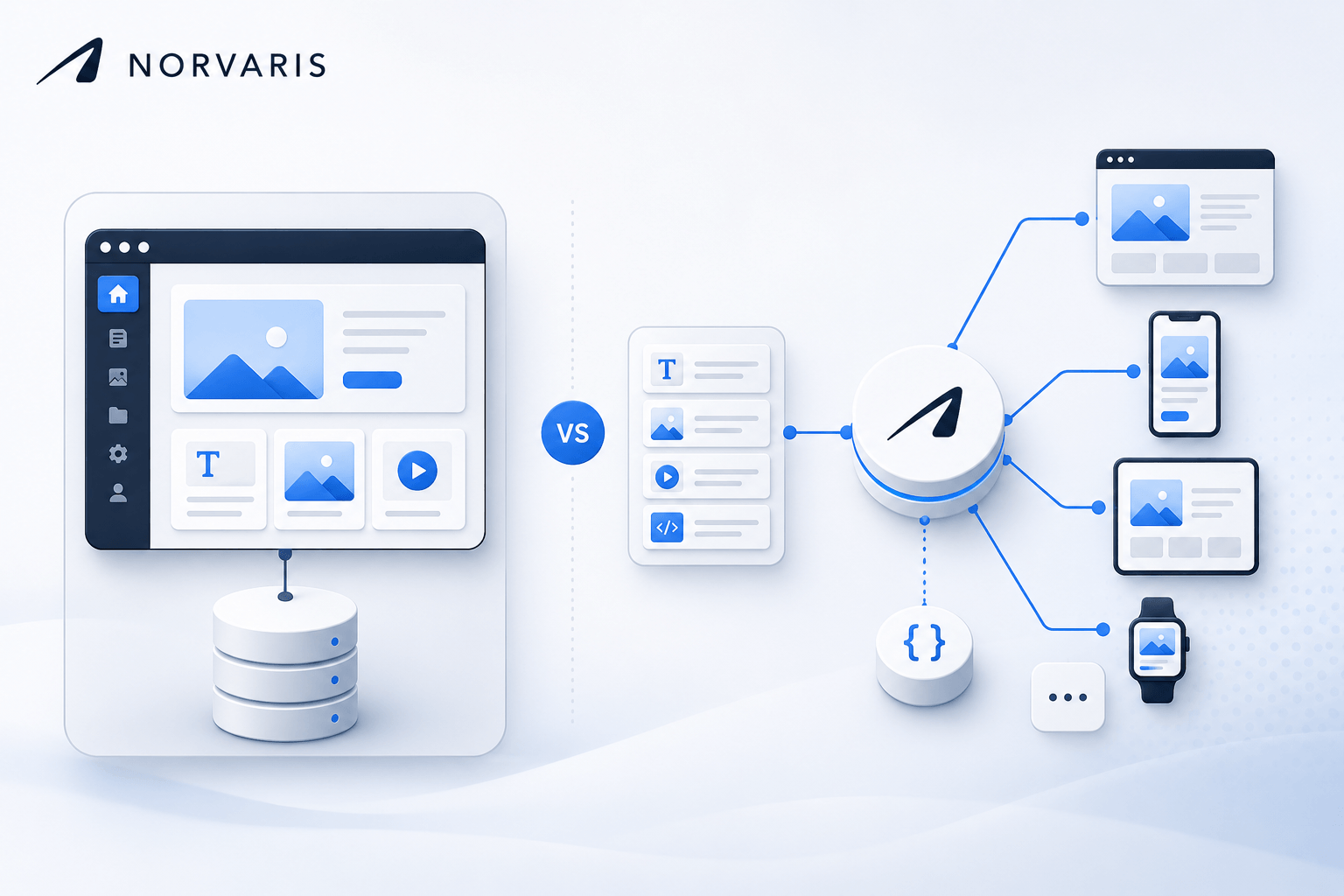
A traditional CMS handles everything — content management, content storage, and content delivery — in one system. WordPress is the most prominent example, powering roughly 43% of all websites.
How it works: You log into an admin panel, write content, and the CMS generates the web pages. Content creation and content display are tightly coupled.
Examples: WordPress, Drupal, Joomla, Squarespace, Wix
Strengths:
- Fast to launch: Install, pick a theme, start publishing. A competent developer can build a WordPress site in 1-2 weeks.
- Content team autonomy: Marketing teams can publish, edit, and manage content without developer involvement.
- Massive plugin ecosystem: Need SEO tools? Contact forms? E-commerce? There’s a plugin. WordPress alone has 60,000+ plugins.
- Lower initial cost: Thousands of themes available. Development is faster and more affordable.
- Proven at scale: WordPress handles billions of page views monthly across major publishers.
Weaknesses:
- Performance ceiling: Themes and plugins add bloat. A WordPress site with 20 plugins can easily hit 4-5 second load times without optimization.
- Security surface area: Plugins are the most common attack vector. Every plugin is a potential vulnerability.
- Frontend limitations: You’re constrained by the theme system. Custom interactions and modern UI patterns require fighting the framework.
- Scaling complexity: High traffic requires caching layers, CDN configuration, and potentially a managed hosting provider.
The performance ceiling deserves special attention because it’s where WordPress reputations are made or broken. A WordPress site can absolutely be fast — the path to fast WordPress runs through aggressive plugin discipline, careful theme selection, and a hosting provider that takes performance seriously. The default WordPress stack, with a random premium theme and a dozen plugins installed because they “might be useful,” is where the platform earns its reputation for sluggishness.
Headless CMS: The Modern Architecture
A headless CMS separates content management from content delivery. The CMS stores and manages content, then delivers it via an API. A separate frontend (React, Next.js, Vue, etc.) fetches the content and renders the pages.
How it works: Your content team writes in the CMS admin panel. Your frontend application calls the CMS API to get content and builds the pages however it wants.
Examples: Strapi, Contentful, Sanity, Prismic, Payload CMS, WordPress (used as a headless backend)
Strengths:
- Performance: Static site generation (SSG) and server-side rendering (SSR) produce pages that load in under 1 second.
- Frontend freedom: Build with any technology — React, Next.js, Vue, Svelte, or even mobile apps. No theme constraints.
- Security: The CMS is not publicly accessible. The frontend is static or server-rendered. Smaller attack surface.
- Multi-channel delivery: Same content feeds your website, mobile app, digital signage, or any other channel via API.
- Developer experience: Modern JavaScript tooling, component-based architecture, Git workflows, and CI/CD pipelines.
Weaknesses:
- Higher initial cost: You’re building two systems — the CMS backend and the frontend application.
- Developer dependency: Content structure changes typically require a developer. Marketing can’t “just add a new section” the way they can with WordPress.
- Preview complexity: Seeing content before publishing requires building a preview system. Traditional CMS gives you this for free.
- Infrastructure management: You’re responsible for hosting, deployment, and uptime of both the CMS and the frontend.
The developer dependency is the one that most frequently surprises teams after launch. A marketing team used to WordPress will ask “can we add a new FAQ section to this page?” and expect a same-day answer. In a headless setup, the answer depends on whether the content model already supports FAQ blocks. If it does, great. If it doesn’t, the request becomes a ticket, the ticket becomes a sprint item, and suddenly a five-minute WordPress change is a two-week engineering project. Teams that underestimate this friction end up pushing changes back to the frontend team, or, worse, letting the site go stale because every update has a cost.
The Decision Framework
Choose Traditional CMS When:
- Your content team needs full autonomy — they want to add pages, change layouts, and publish without developer support
- Budget is limited — you need to launch quickly and affordably
- Content is the product — blogs, news sites, documentation portals where content structure is straightforward
- SEO is critical but resources are limited — WordPress + Rank Math gets you 90% of SEO best practices with minimal effort
- The site doesn’t need complex interactions — standard layouts, standard navigation, standard forms
Choose Headless CMS When:
- Performance is non-negotiable — sub-second load times, perfect Core Web Vitals
- You need a custom frontend experience — complex animations, interactive tools, app-like interfaces
- You’re building for multiple channels — website + mobile app + other platforms sharing the same content
- Your development team prefers modern JavaScript — React/Next.js ecosystem with component-based development
- Security requirements are strict — financial, healthcare, or government projects with compliance needs
Choose WordPress as a Headless CMS When:
- You want the best of both worlds — WordPress’s familiar content editing with a custom Next.js frontend
- Your content team already knows WordPress
- You need the plugin ecosystem for content management but want frontend freedom
- Budget allows for the additional frontend development work
The hybrid path has become increasingly popular for a reason: it sidesteps the main trade-off of each option. Your marketing team still gets the editor they know, with the plugins they’ve relied on for years. Your engineers still get a modern frontend stack they actually want to work in. The cost is that you now have two systems to maintain, and an integration layer between them that can introduce its own failure modes. It’s not free, but for teams that have outgrown pure WordPress and can’t commit fully to headless, it’s often the most pragmatic middle ground.
Cost Comparison
| Traditional (WordPress) | Headless (Contentful + Next.js) | WordPress Headless | |
|---|---|---|---|
| Initial build | €5,000–15,000 | €15,000–40,000 | €12,000–30,000 |
| Monthly hosting | €30–100 | €50–200 | €60–150 |
| Content updates | Self-service | Mostly self-service | Self-service |
| Adding new page types | €500–2,000 | €2,000–5,000 | €1,500–4,000 |
| Timeline to launch | 2-4 weeks | 6-10 weeks | 5-8 weeks |
The Recommendation for Most Companies
If you’re launching a new company website or marketing site: Start with WordPress. It’s faster to launch, cheaper to build, and your marketing team can manage content independently. When performance or customization needs outgrow WordPress, migrate to headless.
If you’re building a product website with complex UI: Go headless from the start. The frontend freedom is worth the additional investment, and you’ll avoid the cost of migrating later.
If you’re rebuilding an existing WordPress site: Consider the WordPress headless approach — keep your content and editorial workflow, but replace the frontend with Next.js for performance and customization.
The Bottom Line
There’s no universally correct answer. The right CMS architecture depends on your team’s capabilities, your budget, your performance requirements, and how much control your content team needs.
The easiest way to make the wrong choice is to let the decision be driven by the loudest voice in the room. Engineers will often advocate for headless because the developer experience is better. Marketing will often advocate for WordPress because the content experience is better. Both are right about their own pain. The decision should weigh both — and the weight depends on which friction you’ll actually live with day to day. A site that’s a joy for engineers but a nightmare for content editors will slowly stop being updated. A site that’s easy for content editors but painful to maintain will slowly accumulate technical debt that strangles the team shipping it.
What matters most is choosing deliberately — understanding the trade-offs of each approach before committing to a build. The architecture is much harder to change later than the content it serves.
Still weighing it up? We build both, and the recommendation depends on who has to live with the site after launch. For a marketing or company site, see business website design and development. If the thing you’re describing has logins, roles and data behind it, that’s custom web application development instead. Not sure which side of the line you’re on? Website or web application — what does your business actually need?

Bojan Zlatanović
Founder at Norvaris. Building digital products and writing about what actually works in product, engineering, and growth.
More from this author